
Managing IT infrastructure costs is one of the biggest challenges MSPs face. Cloud desktop pricing has become increasingly transparent, making it easier to budget and scale without surprise expenses.
Unlike traditional on-premises setups, cloud solutions offer predictable monthly costs and eliminate heavy upfront investments. This guide breaks down pricing models, compares them to legacy infrastructure, and shows you exactly what factors influence your total investment.
How Cloud Desktop Pricing Actually Works
Three Core Pricing Models
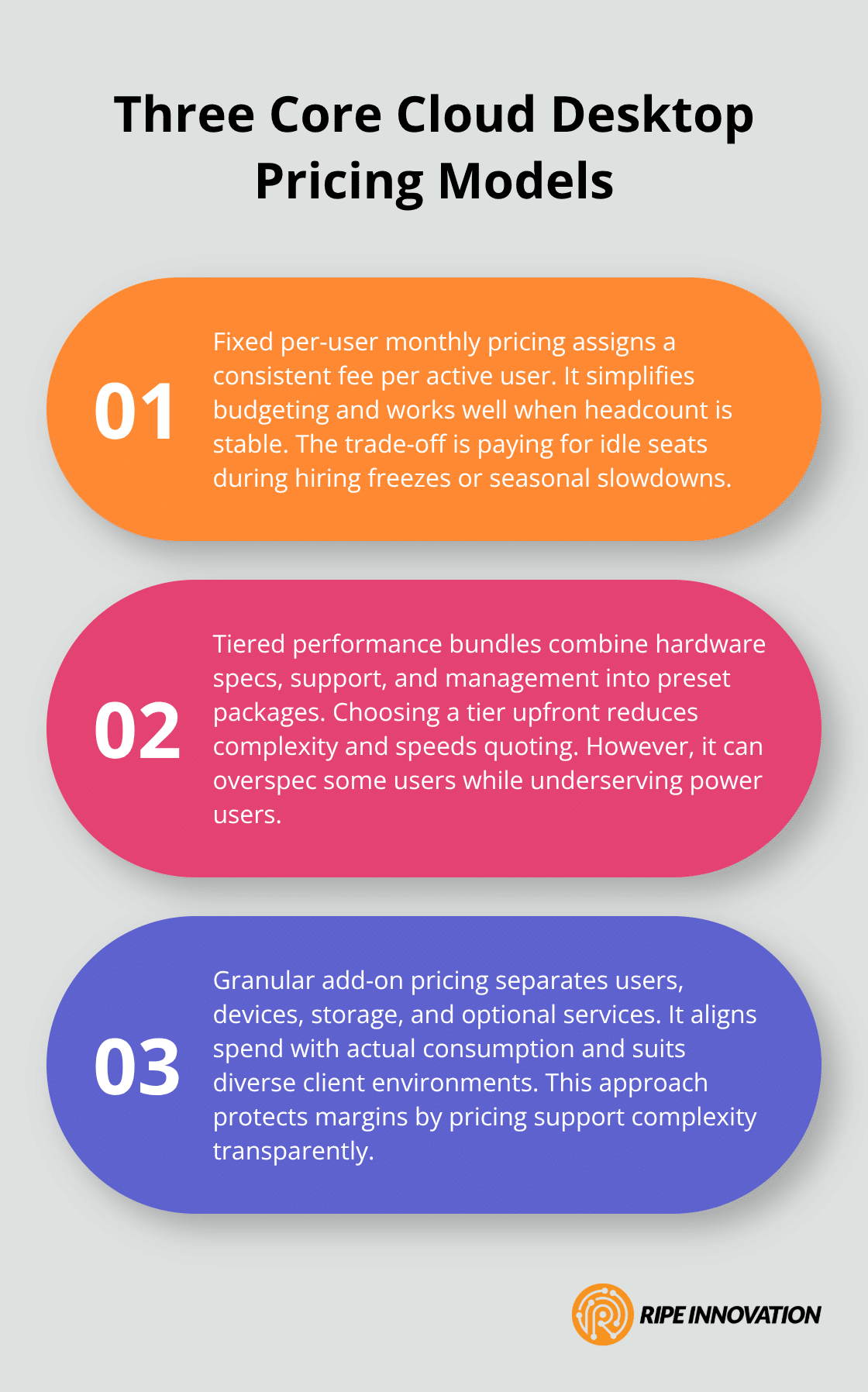
Cloud desktop pricing operates on three distinct models, each suited to different business sizes and operational needs. The most straightforward approach is fixed per-user monthly costs, where you pay a consistent fee for each active user regardless of usage intensity. Windows 365 Business exemplifies this model, starting around $20–$35 per user monthly for basic configurations, while enterprise versions scale from $28 for entry-level setups to $315 for high-performance GPU-backed systems with 16 vCPU, 64 GB RAM, and 1 TB storage. This predictability makes budgeting straightforward, but the model works best when your workforce remains stable; hiring freezes or seasonal layoffs can leave you overpaying for unused seats.
The second pricing structure uses tiered performance levels, bundling hardware specs with support and management into predefined packages. A typical tiered approach offers Base, Premium, and Max configurations, where Premium might include faster processors, more RAM, and priority support, while Max delivers GPU acceleration for design or video work. This tiering forces you to choose upfront, which reduces complexity but may oversell capabilities to some users or undersell to others.
The third model emphasizes flexible scaling, charging separately for users, devices, storage, and optional add-ons like endpoint protection or next-business-day hardware replacement. This granular approach aligns costs directly with consumption and works exceptionally well for MSPs managing diverse client environments. Per-user pricing dominates when headcount drives demand, but when device counts vary widely or support complexity differs significantly per client, granular add-on pricing captures value more accurately and prevents margin erosion from underpriced support.
Transparency Unlocks Competitive Advantage
The real competitive advantage emerges when you combine transparent pricing with data-driven visibility into what clients actually consume. Cloud desktop integration with centralized management enables dashboards that reveal concurrent session patterns, storage utilization, and peak usage times. MSPs using Power BI dashboards to track these metrics can forecast future costs, identify overprovisioning, and adjust pricing mid-contract without constant renegotiation.
A UK-based MSP example shows how a £325 monthly base covering up to 10 users, with additional user packs at £99 per 10-user increment, creates predictable revenue while remaining scalable. This approach works because it establishes a minimum contract value that ensures profitability, then allows growth without constant renegotiation.
Avoiding the Simplicity Trap
Most MSPs choose simplicity over data, defaulting to per-user pricing when their actual support burden comes from ticket complexity and time spent, not headcount. If your clients experience seasonal spikes in support volume or have environments where five users generate as many tickets as twenty others, time-per-ticket tracking and hourly retainer models capture that reality better than flat per-user fees. The strongest positioning combines a clear baseline price tied to user count with transparent reporting showing exactly where costs go-compute hours, storage consumption, licensing, and support effort-so clients see value and accept price adjustments as needs evolve.
Understanding these pricing foundations positions you to evaluate which model aligns with your client base and operational capacity. The next section compares cloud desktop pricing directly to traditional infrastructure investments, revealing where you capture the most significant cost savings.
Why Cloud Desktops Cost Less Than On-Premises Infrastructure
The Capital Expense Trap of Traditional Infrastructure
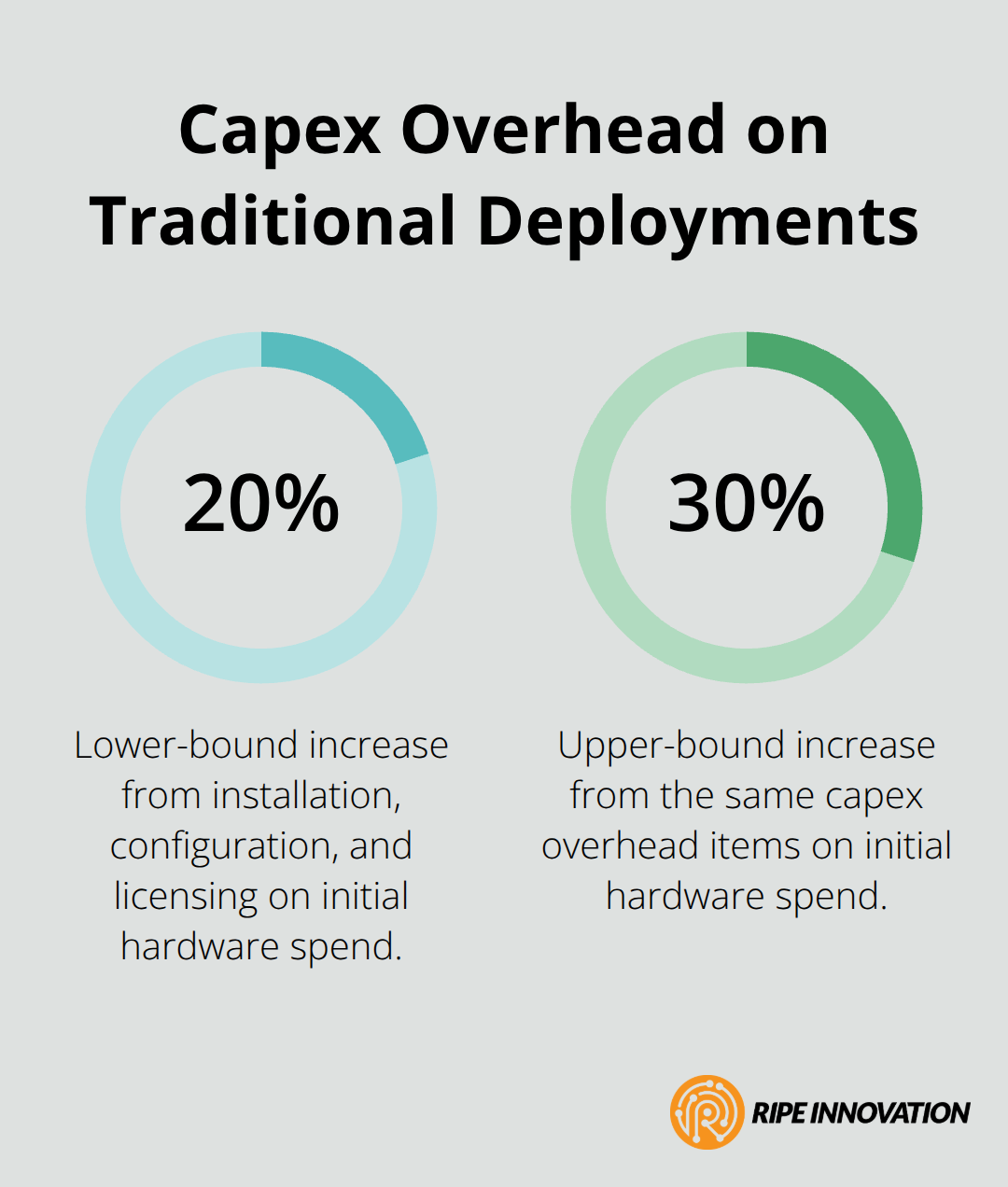
Traditional on-premises infrastructure demands massive upfront capital expenditure before you deliver a single service to a client. A fully equipped workstation costs $800–$1,500 per unit, servers run $3,000–$15,000 or more, and networking equipment adds thousands beyond that. When you multiply these costs across even a modest 50-user deployment, you face $40,000–$100,000 in hardware alone, plus installation, configuration, and licensing fees that stretch the initial investment another 20–30 percent.
Cloud desktops eliminate this burden entirely. Windows 365 Business charges $20–$35 per user monthly with no hardware purchase required, while enterprise configurations start at $28 monthly for basic setups. For a 50-user client, that translates to $1,000–$1,750 per month instead of $50,000–$130,000 upfront, fundamentally changing your cash flow and allowing you to scale clients without depleting your own working capital.
Shifting From Maintenance to Strategy
The real advantage extends far beyond avoiding that initial expense. On-premises infrastructure requires dedicated IT staff to manage patches, security updates, hardware replacements, and infrastructure monitoring-costs that compound annually as systems age and complexity grows. Cloud desktop providers handle all of that centrally, which means your internal team shifts from reactive maintenance to strategic work that generates additional revenue. A client paying $28 monthly for a cloud desktop no longer needs an on-site technician performing monthly maintenance checks, applying security patches, or troubleshooting hardware failures. That same client still needs help desk support for application issues and user onboarding, but the infrastructure burden vanishes.
The Numbers Behind Total Cost of Ownership
Industry data shows that support ticket volume reduction cloud desktops occurs because routine infrastructure tasks disappear entirely. When you combine lower monthly costs with reduced support demand, the total cost of ownership for cloud desktops typically runs significantly lower than traditional infrastructure over a five-year period. More importantly, that cost becomes predictable. You know exactly what you’ll pay each month, you can forecast client needs six months ahead using historical data, and you eliminate the surprise expenses that plague on-premises deployments-failed hard drives, unexpected server upgrades, or emergency replacement hardware that arrives with premium shipping fees.
What Drives These Savings
The shift to cloud desktops removes the financial volatility that on-premises environments create. Traditional infrastructure forces you to absorb depreciation, plan for refresh cycles every three to five years, and maintain spare parts inventory for emergency replacements. Cloud providers spread these costs across thousands of customers, which allows them to offer per-user pricing that undercuts the total cost of ownership for any single organization. Your clients also benefit from this economics; they pay only for active users and can scale up or down without renegotiating hardware contracts or managing asset disposal.
Understanding these cost dynamics positions you to articulate the financial case for cloud desktops to prospects. The next section examines the specific pricing factors that MSPs must evaluate when selecting a cloud desktop provider and structuring offers for different client segments.
What Actually Drives Your Cloud Desktop Costs
User Count and Concurrent Sessions
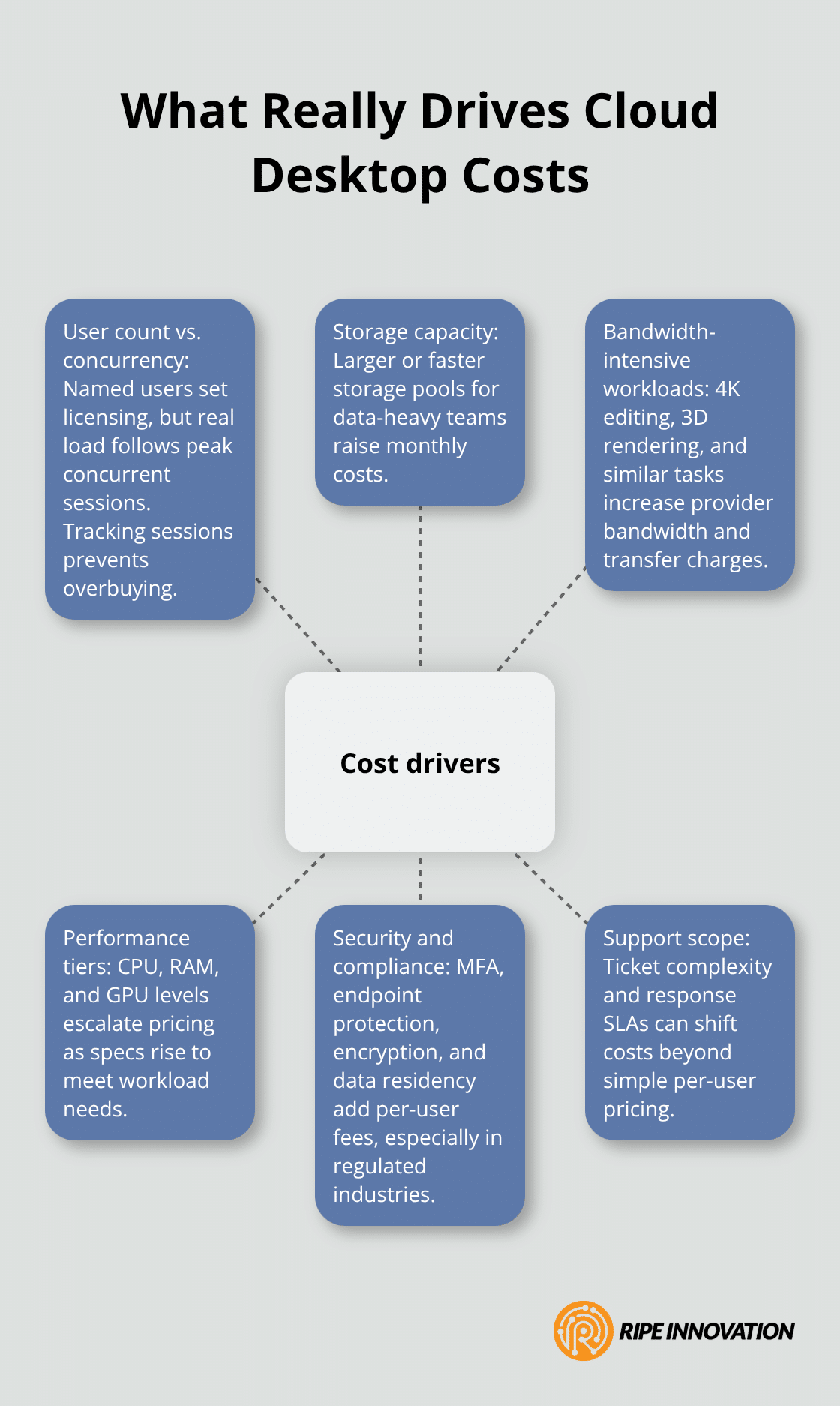
User count matters, but it’s far from the only lever pulling your pricing up or down. Windows 365 pricing tiers range from $28 monthly for a 2 vCPU configuration with 4 GB RAM and 64 GB storage, up to $315 for a 16 vCPU system with 64 GB RAM and 1 TB storage. That sixfold increase reflects compute power, not just headcount. If your client runs 100 users but only 40 access their cloud desktop simultaneously during peak hours, you pay for 100 licenses when your actual infrastructure load demands only 40. This gap creates opportunity: MSPs who track concurrent session data can right-size deployments, negotiate volume discounts with providers, and pass those savings directly to clients in the form of lower per-user rates. A UK-based MSP charging £325 monthly for up to 10 users can absorb that cost because they know typical concurrent usage runs 60–70 percent of named users. If a client claims they need 50 users but historical data shows only 25 concurrent sessions, pricing them for 50 locks in margin that evaporates the moment they review their actual usage.
Storage, Bandwidth, and Performance Tiers
Storage and bandwidth requirements separate clients into distinct pricing tiers more sharply than user count alone. A 2 TB storage allocation for a 50-user design firm costs exponentially more than the same allocation for a 50-user accounting office. Windows 365 GPU tiers (Standard, Super, Max) reflect this reality: GPU Standard includes 8 GB VRAM with 512 GB storage at roughly $120–$150 monthly, while GPU Max delivers 16 GB VRAM with 1 TB storage at $315 monthly. When clients demand 4K video editing or 3D rendering, they consume bandwidth that traditional cloud desktop providers charge separately. This consumption pattern means you must understand each client’s actual workload before you quote a price. A design firm’s requirements differ fundamentally from those of a call center, and your pricing structure must account for that difference.
Security, Compliance, and Hidden Cost Variables
Security and compliance features create the final major cost variable. Endpoint protection, multi-factor authentication, encryption, and data residency requirements add $10–$30 monthly per user depending on the provider and the specific tooling. A healthcare client requiring HIPAA compliance requirements for healthcare cloud desktop deployments needs different security layers than a retail client, and pricing that bundles generic security into a base plan underprices the actual value you deliver to compliance-heavy verticals. The strongest MSPs unbundle these costs transparently: show clients exactly what they pay for compute, storage, security, and support, then adjust pricing as their requirements evolve. This approach prevents margin erosion from underestimating security complexity and builds trust through visibility into what their money actually purchases.
Final Thoughts
Cloud desktop pricing transparency fundamentally changes how MSPs compete and serve clients. When you move beyond simple per-user fees to data-driven pricing that reflects actual usage patterns, security requirements, and support complexity, you capture value that competitors miss. The pricing models covered in this guide-fixed per-user costs, tiered performance levels, and granular add-on structures-each serve different client segments, but they all succeed when backed by clear visibility into what clients consume and what you actually deliver.
MSPs who adopt cloud desktop solutions gain a structural advantage over those relying on on-premises infrastructure. Your clients benefit from lower total cost of ownership, predictable monthly budgeting, and the ability to scale without massive capital outlays, while you benefit from reduced support burden, more predictable revenue, and the freedom to focus on strategic work that generates margin. This alignment of interests creates stickier client relationships and opens doors to upsell opportunities around security, compliance, and managed services that on-premises deployments rarely support.
Start by auditing your existing support tickets to understand whether your costs align with per-user pricing or whether time-per-ticket and complexity-based models better reflect your actual effort. Pull historical data on concurrent usage, storage consumption, and support volume to establish realistic baselines, then select a cloud desktop provider whose pricing structure and transparency match your business model. Request a trial deployment with a pilot client to validate your cloud desktop pricing assumptions before you commit to a broader rollout.