
As an MSP, your clients depend on you to protect their most critical asset: their data. Today’s threat landscape demands more than basic backups-it requires a comprehensive strategy that safeguards against ransomware, ensures compliance, and enables rapid recovery.
Cloud backup for MSPs has become essential infrastructure, not optional add-on. By implementing enterprise-grade solutions, you strengthen client relationships while creating a reliable revenue stream that scales with your business.
Why Cloud Backup Matters for MSPs Now
Data Growth Demands Professional Protection
Data volumes have exploded to around 149 zettabytes globally in 2024, and organizations struggle to manage this expansion without expert help. MSPs who address this challenge directly position themselves as essential partners rather than optional service providers. Clients recognize that unmanaged data growth creates security gaps, compliance violations, and recovery failures-problems that cost far more to fix than prevention.
Compliance Requirements Drive Client Decisions
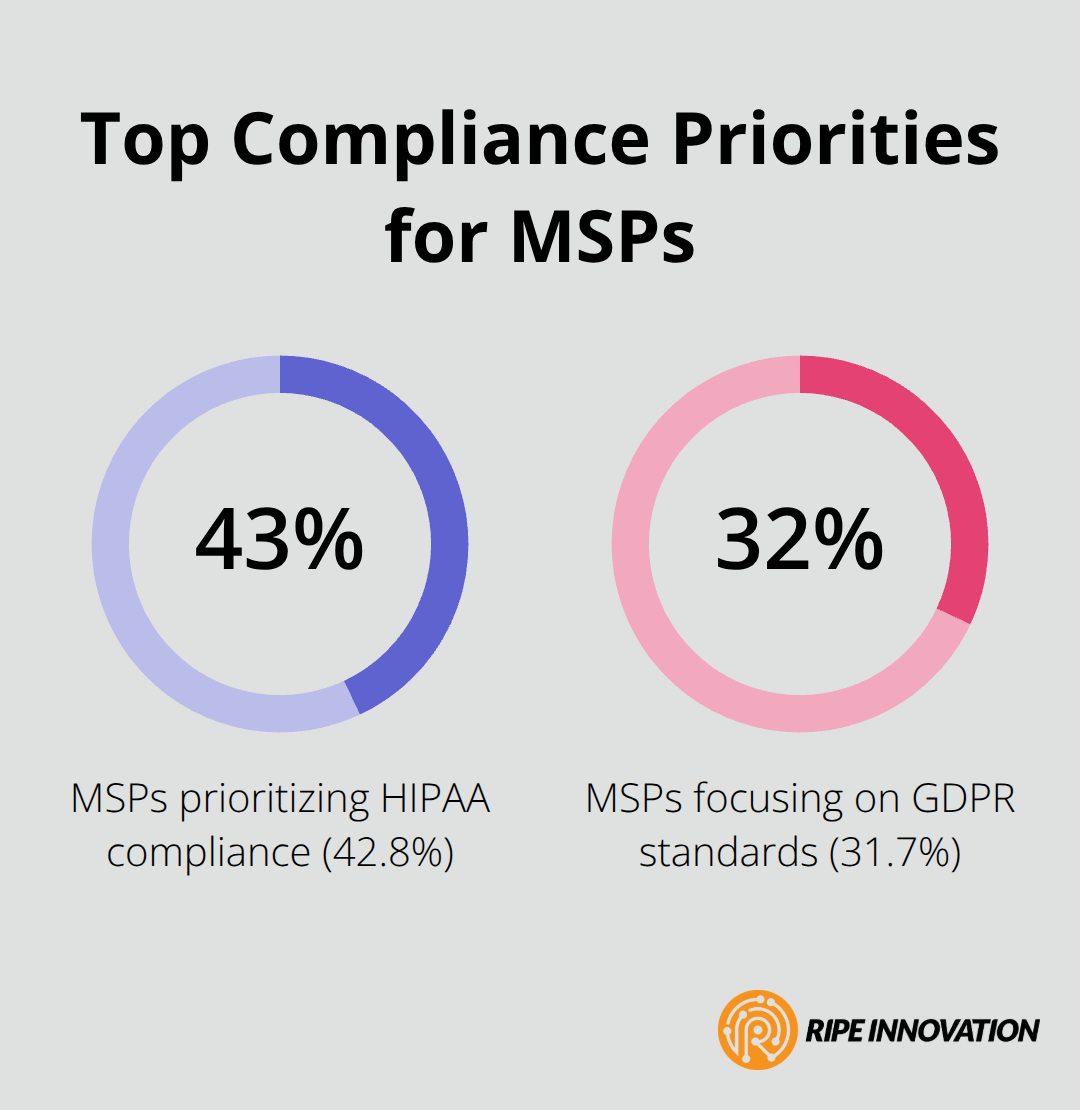
Compliance standards now determine which MSPs win contracts and which ones lose them. HIPAA, GDPR, and SOC 2 certifications shape purchasing decisions across regulated industries, with 42.8% of MSPs prioritizing HIPAA compliance and 31.7% focusing on GDPR standards. These requirements are no longer optional; they represent table stakes for competing in enterprise markets. Noncompliance costs organizations 2.71 times more than compliant operations, a fact that resonates with decision-makers during budget reviews. MSPs who position cloud backup as a compliance enabler-not just a recovery tool-unlock contracts that competitors miss entirely.
Immutable Backups Stop Ransomware Cold
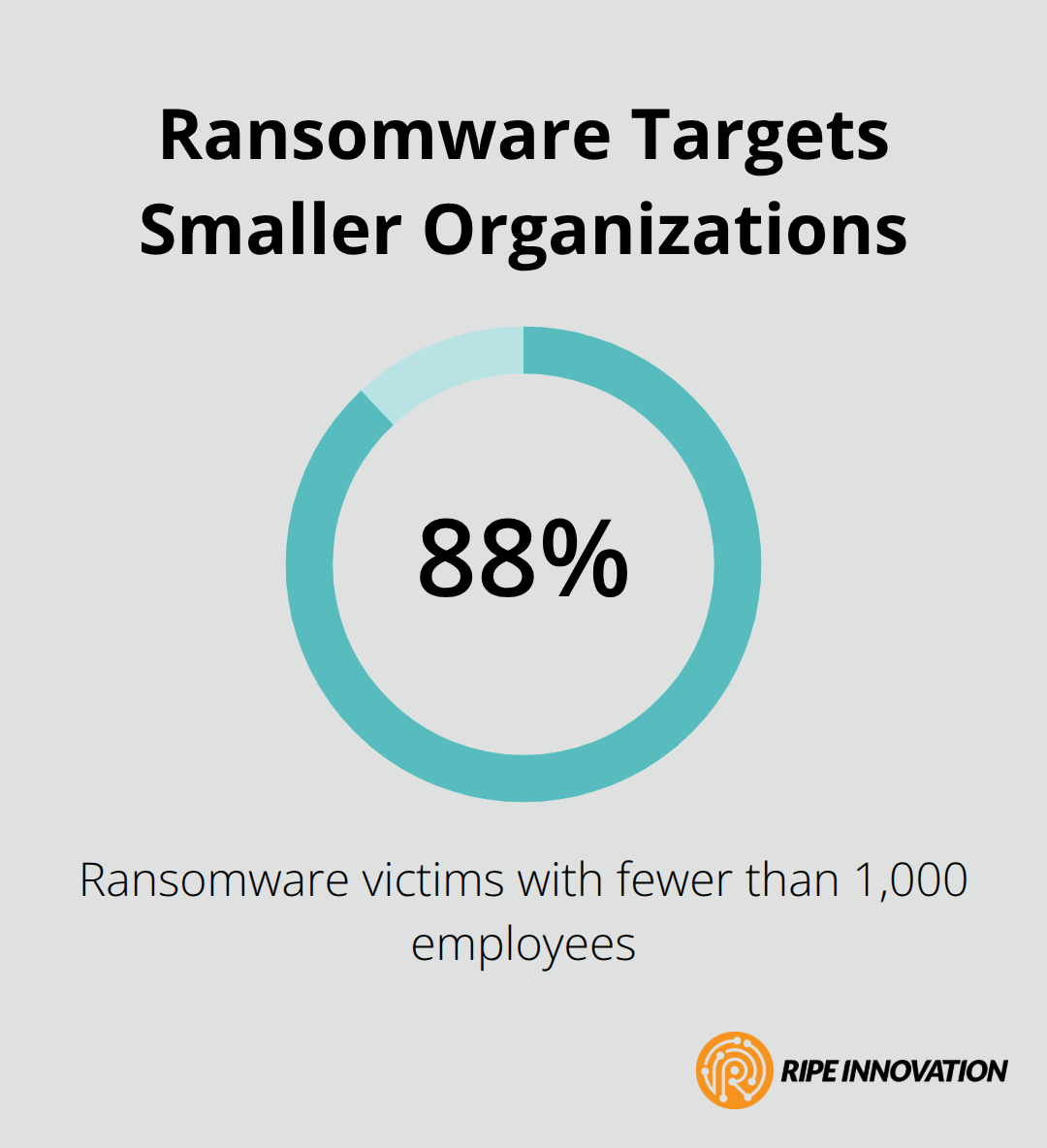
Ransomware attacks target smaller organizations with devastating frequency; 88% of victims employ fewer than 1,000 people. Traditional backups fail because attackers delete or encrypt backup files alongside production data, leaving organizations with no recovery path.
Immutable backups using object lock technology prevent this scenario entirely-once data is written, it cannot be altered or deleted, even by administrators. Cyber insurers now deny coverage to organizations without immutable backups and reliable recovery capabilities, making this feature essential for client protection. MSPs should recommend immutable storage backed by providers like AWS S3 or Wasabi, ensuring clients can recover without negotiating with attackers.
Recovery Speed Protects Revenue and Relationships
Downtime during data loss incidents destroys client revenue and damages relationships irreparably. Cloud backup solutions enable rapid recovery through full-image protection with cloud boot capabilities, allowing clients to restore entire environments within hours rather than days. MSPs should prioritize vendors offering point-in-time restore with granular search functionality, enabling item-level recovery without full system rebuilds. This capability matters most when employees accidentally delete critical files or malware corrupts specific databases. Clients expect recovery within hours, and MSPs who deliver this speed gain competitive advantage and justify premium pricing for backup services.
Understanding these four drivers-data growth, compliance, ransomware protection, and recovery speed-prepares you to evaluate the specific features that separate leading cloud backup solutions from mediocre alternatives.
Enterprise Cloud Backup Features That Deliver Results
Enterprise cloud backup solutions succeed when they automate protection without requiring constant manual intervention, distribute data across geographically separated locations to survive regional disasters, and enable recovery fast enough to prevent revenue loss. The best platforms excel at all three, but MSPs must understand which features matter most for their specific client base and which ones are marketing noise.
Automated Scheduling Eliminates Human Error
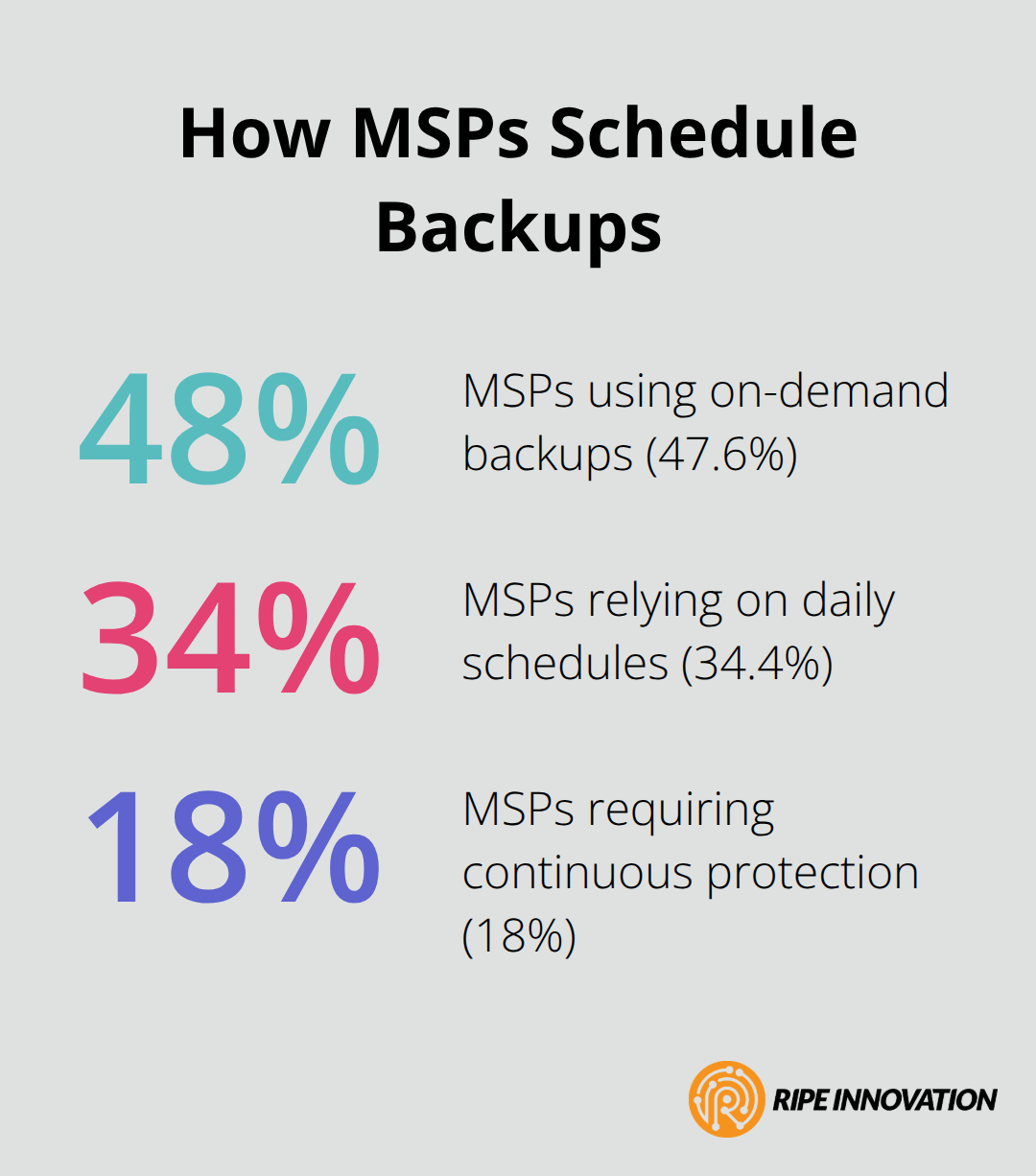
Automated backup scheduling eliminates the primary cause of failed protection: human error. MSPs should deploy solutions that support multiple backup cadences-on-demand, daily, and continuous options-since data criticality varies across client environments. According to Infrascale, 47.6% of MSPs use on-demand backups, 34.4% rely on daily schedules, and 18% require continuous protection.
The right platform allows different policies per workload rather than forcing a one-size-fits-all approach. Incremental and synthetic full backups reduce storage consumption and backup windows significantly; incremental backups capture only changes since the last backup, while synthetic full backups reconstruct complete images from incremental data without re-reading source systems. This distinction matters because it determines whether backup windows fit into client business hours or require off-hours scheduling. Test backup speed with your chosen vendor before committing; some solutions advertise fast recovery but deliver slow actual backups, creating client frustration during initial deployments.
Multi-Region Redundancy Protects Against Catastrophic Loss
Multi-region redundancy and geo-redundancy protect against regional outages, ransomware targeting multiple locations simultaneously, and compliance violations in regulated industries. Data stored in a single region faces risk from natural disasters, regional infrastructure failures, and coordinated cyberattacks. Require vendors to replicate data across geographically distant regions-ideally on different continents for enterprise clients-without requiring manual configuration. Immutable storage across regions prevents attackers from destroying backups even if they compromise one location. This layered approach transforms backups from a single point of failure into distributed infrastructure that survives targeted attacks.
Rapid Recovery Capabilities Drive Client Satisfaction
Rapid recovery and restore capabilities determine whether cloud backup becomes a competitive advantage or a liability. Item-level recovery must work without full system restores; clients expect to recover a single email or document within minutes, not hours. Point-in-time restore with granular search functionality enables recovery to specific moments before data loss occurred, essential for ransomware incidents where backups created after encryption are worthless. Verify actual restore performance with realistic data volumes before recommending solutions; some vendors report fast theoretical speeds that collapse under production load. Cloud boot capabilities allow clients to run entire systems from cloud backups during local infrastructure failure, separating leading solutions from basic alternatives. This feature transforms backups from recovery tools into active disaster recovery infrastructure, justifying higher per-user pricing and deeper client relationships.
Understanding these three capabilities-automated scheduling, multi-region protection, and rapid recovery-positions you to evaluate which vendors deliver genuine enterprise-grade solutions. The next section examines how to assess security standards and certifications that separate trustworthy partners from those cutting corners on data protection.
Selecting a Cloud Backup Vendor That Scales With Your MSP
Choosing the right cloud backup partner determines whether your MSP gains a sustainable competitive advantage or inherits operational headaches that consume margins. The decision extends far beyond feature checklists; it requires evaluating how vendors handle security compliance, whether their infrastructure truly scales to your growth targets, and whether their pricing structure aligns with your business model rather than working against it.
Audit Vendors Against Your Client Profile
Start with a thorough assessment of vendors against your specific client profile. MSPs protecting regulated industries like healthcare or finance cannot compromise on security certifications. Require vendors to hold ISO 27001 certification, which indicates adherence to internationally recognized information security standards, and verify their compliance with HIPAA, GDPR, or SOC 2 depending on your client base. According to Infrascale data, 42.8% of MSPs prioritize HIPAA compliance and 31.7% focus on GDPR standards, making these certifications essential table stakes. Request audit reports and third-party attestations rather than accepting vendor claims; cyber insurers now deny coverage to organizations using backup providers without proper certifications, meaning your vendor choice directly impacts your clients’ insurance eligibility.
Verify Encryption Implementation and Key Management
Test encryption implementation thoroughly before deployment. Infrascale research shows MSPs use AES for 46.2% of bulk data protection and RSA for 32% of key exchange scenarios, so verify your chosen vendor supports these standards and encrypts data both in transit and at rest without requiring additional configuration. Ask vendors specifically how they handle encryption keys; solutions that store encryption keys alongside backup data create catastrophic risk if attackers gain access to backup infrastructure. This distinction separates vendors that protect data effectively from those that create false security.
Evaluate Scalability and Restore Performance
Scalability and performance metrics separate vendors that grow with you from those that collapse under production load. Demand actual restore performance data from vendors using your expected data volumes, not theoretical speeds from marketing materials. Test restore functionality with a pilot deployment covering at least one client’s critical workload before committing to enterprise-wide implementation; some vendors report fast recovery times that deteriorate dramatically when restoring large datasets or many files simultaneously. Evaluate multi-region redundancy capabilities carefully because geographic distribution differs significantly across vendors. Require vendors to replicate data across regions without manual configuration and confirm they support immutable storage across all regions, not just primary locations.
Compare Pricing Models and Storage Options
Pricing models vary wildly across the backup market, with costs ranging from $1.10 per user per month for basic offerings to $4 or more for feature-rich MSP-focused plans according to market analysis. Calculate total cost of ownership including storage, retention policies, and support rather than focusing solely on per-user pricing. Vendors offering transparent pricing with shorter commitments deserve preference over those requiring annual contracts with hidden overages. Clarify whether vendors support bring-your-own-cloud storage using your clients’ existing cloud accounts or require proprietary storage infrastructure, since BYOC approaches reduce costs significantly for cost-conscious clients.
Confirm Integration and Feature Compatibility
Verify PST export availability if your clients conduct eDiscovery or mail migrations; some solutions lack this capability entirely, forcing expensive workarounds when clients need historical email recovery. Finally, confirm integration capabilities with your existing PSA and RMM platform; vendors integrating directly with systems like NinjaOne or Kaseya eliminate manual workflows and reduce deployment friction that delays revenue recognition. These integrations determine whether backup management becomes seamless or creates operational burden across your team.
Final Thoughts
Cloud backup for MSPs represents far more than a technical necessity-it is a strategic business differentiator that separates thriving service providers from those struggling with margin compression. The vendors and solutions you select today determine whether your MSP becomes known for reliable data protection or inherits operational complexity that consumes profitability. Organizations increasingly expect their MSPs to deliver enterprise-grade backup capabilities without requiring them to manage multiple point solutions or navigate fragmented vendor ecosystems.
Client retention improves measurably when MSPs demonstrate measurable business outcomes through backup services. Organizations protected by immutable backups sleep better knowing ransomware cannot destroy their recovery path, while clients experiencing rapid recovery from accidental deletion or infrastructure failure recognize the value immediately. These experiences build relationships that survive price competition because switching costs become prohibitive once clients depend on your backup infrastructure for business continuity, and compliance requirements only intensify as regulations evolve and cyber insurers tighten coverage requirements.
Implementation success requires selecting vendors aligned with your specific client profile and growth trajectory. Prioritize providers offering transparent pricing, complete Microsoft 365 and Google Workspace coverage, immutable storage across multiple regions, and seamless integration with your existing PSA and RMM platforms (pilot deployments with one or two clients before enterprise-wide rollout reduce deployment risk and generate case studies that accelerate sales cycles). Try Acronis Cyber Protect Cloud free for 30 days to experience integrated backup and cybersecurity for MSPs, then position your organization as the trusted data protection partner your clients need.