
Moving to Azure can feel overwhelming, but it doesn’t have to be. We at RIPE INNOVATION INC. have guided countless small businesses through cloud transitions, and we know what separates smooth migrations from costly disasters.
This playbook covers Azure migration best practices across four critical phases: assessing your readiness, planning strategically, executing with minimal disruption, and optimizing long-term. You’ll find concrete steps, not theory.
Assessing Your Current Infrastructure and Readiness
The first step toward a successful Azure migration is understanding exactly what you’re working with right now. Most small business owners lack a detailed inventory of their IT setup. You might know you run email, file storage, and some accounting software, but do you know which servers host these applications, how much data sits on each one, or which systems talk to each other? This gap in knowledge creates risk.
Conduct a Comprehensive IT Audit
Azure Migrate, Microsoft’s free assessment tool, solves this problem by automatically discovering your on-premises resources, mapping application dependencies, and flagging which workloads are migration-ready. The tool runs agentless scans and produces a clear picture of your environment within days, not weeks. Start here before spending time on spreadsheets or guesswork.
Identify Dependencies and Applications to Migrate
Not every application belongs in Azure, and not every workload migrates the same way. Email systems, file shares, accounting software like Tally or QuickBooks, ERP and CRM platforms, and remote access tools are typically straightforward Azure candidates. However, legacy applications with custom code, specialized hardware dependencies, or compliance constraints require different handling.
Create a simple spreadsheet listing each application, its current server location, approximate storage size, annual licensing costs, and any compliance requirements like financial or healthcare regulations. This exercise reveals which systems deliver immediate cost savings and which need modernization rather than simple migration. A small office with 20 users, a file server, and email might spend ₹15,000 to ₹25,000 monthly on Azure, but only if you move the right workloads. Moving everything indiscriminately wastes resources and budget.
Evaluate Skills and Resource Gaps on Your Team
Azure migration isn’t plug-and-play, and pretending otherwise leads to delayed projects and budget overruns. Assess whether your team has experience with cloud infrastructure, identity management, networking, and security configuration. Most small businesses lack these skills in-house, which is normal and expected.
The question is how you’ll address the gap. Some businesses hire consultants to handle the full migration end-to-end, while others upskill internal staff through Microsoft training during a phased approach. A typical migration timeline spans four to six weeks, with the actual cutover often happening over a weekend to minimize disruption. Budget for this reality: plan assessment in week one, conduct a test migration in weeks two and three, execute production migration in week four, and spend weeks five and six validating and decommissioning old systems (this phased approach reduces failure risk and support costs afterward).
With your infrastructure mapped, dependencies understood, and team capabilities assessed, you’re ready to move into the planning phase. The next chapter walks you through choosing the right migration approach, building a realistic timeline and budget, and establishing the success metrics that matter most to your business.
Building Your Migration Strategy
Your Azure migration path depends entirely on your current environment and business constraints, not on what works for other companies. The most common mistake small businesses make is adopting a one-size-fits-all approach when migration strategies fall into distinct categories.
Choose Between Lift-and-Shift and Modernization
A lift-and-shift migration moves applications and data to Azure exactly as they exist today, which works well for stable workloads like email, file servers, and accounting software that don’t need architectural changes. This approach minimizes risk and typically completes faster, often within weeks. Modernization migration, by contrast, rebuilds applications for cloud-native performance during the move, using Azure-managed services instead of virtual machines. This takes longer and requires more technical depth but delivers better long-term cost efficiency and scalability. Most small businesses benefit from a hybrid approach: lift-and-shift the straightforward workloads immediately and modernize critical applications in a second phase once your team gains cloud confidence.
The Delhi manufacturing case study demonstrates this reality. A business running three aging on-premises servers moved to Azure’s standard infrastructure, eliminated downtime, and reduced annual costs by approximately ₹3 lakh while maintaining their existing application setup without architectural changes.
Plan Your Timeline and Budget Realistically
Timing and budget work together, not separately. A typical small business migration spans four to six weeks from assessment to full production cutover, with the actual application switchover happening over a single weekend to minimize disruption. Your budget must cover three distinct phases: planning and assessment (roughly 10–15% of total migration spend), the actual migration execution including testing (60–70%), and post-migration optimization and support (15–20%).
For a small office moving 20 users with file storage and email, expect monthly Azure costs around ₹15,000 to ₹25,000 once migrated. Use the Azure Pricing Calculator to generate exact figures for your specific workload mix and storage needs. This shifts your spending from large upfront hardware purchases to predictable monthly consumption-a significant cash flow advantage for small businesses.
Define Success Metrics Before You Start
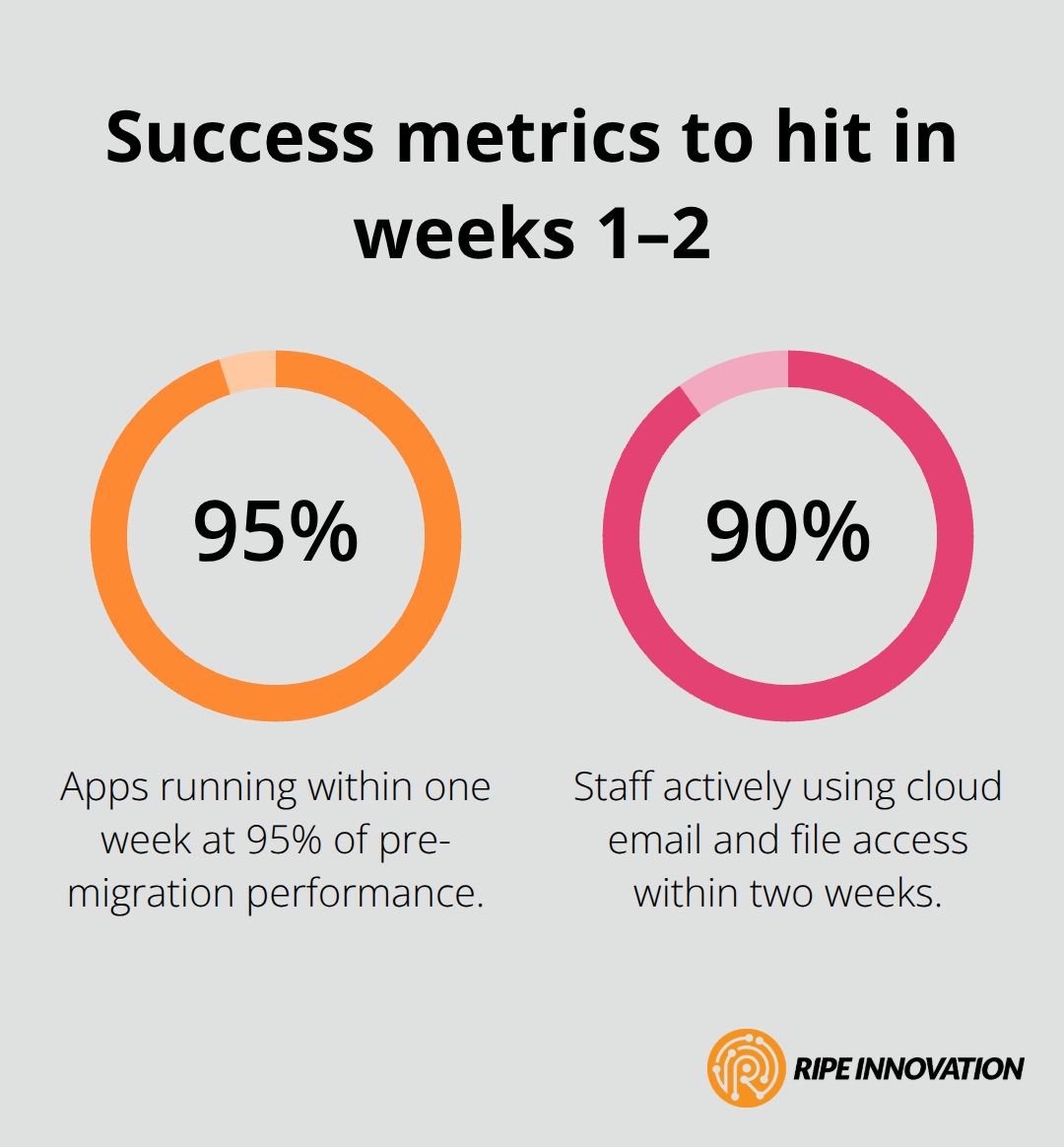
Define success metrics before migration begins. Try for zero unplanned downtime during cutover, all applications running within 95% of pre-migration performance within one week, and user adoption targets like 90% of staff actively using cloud-based email and file access within two weeks. These concrete targets prevent scope creep and give your team clear milestones to track progress.
With your migration strategy locked in and your budget aligned to realistic timelines, you’re ready to focus on execution. The next chapter covers how to prioritize applications, test thoroughly, and monitor performance in real time to keep disruption minimal and keep your business running smoothly throughout the transition.
Executing Your Migration Without Disrupting Business
The gap between planning and execution is where most migrations stumble. You’ve mapped your applications, chosen your approach, and set your timeline. Now comes the part that actually determines success: moving workloads live while keeping your business running. This phase demands discipline, not heroics. The difference between a smooth migration and a chaotic one often comes down to sequencing, validation, and honest communication about what can go wrong.
Sequence Applications Strategically
Application sequencing matters far more than arbitrary timing. Start with email systems because they have minimal dependencies on other systems and employees notice immediately when they work. File servers and collaboration tools follow next, then accounting software, then specialized business applications. This sequence builds confidence and gives your team experience with the Azure environment before tackling complex workloads.
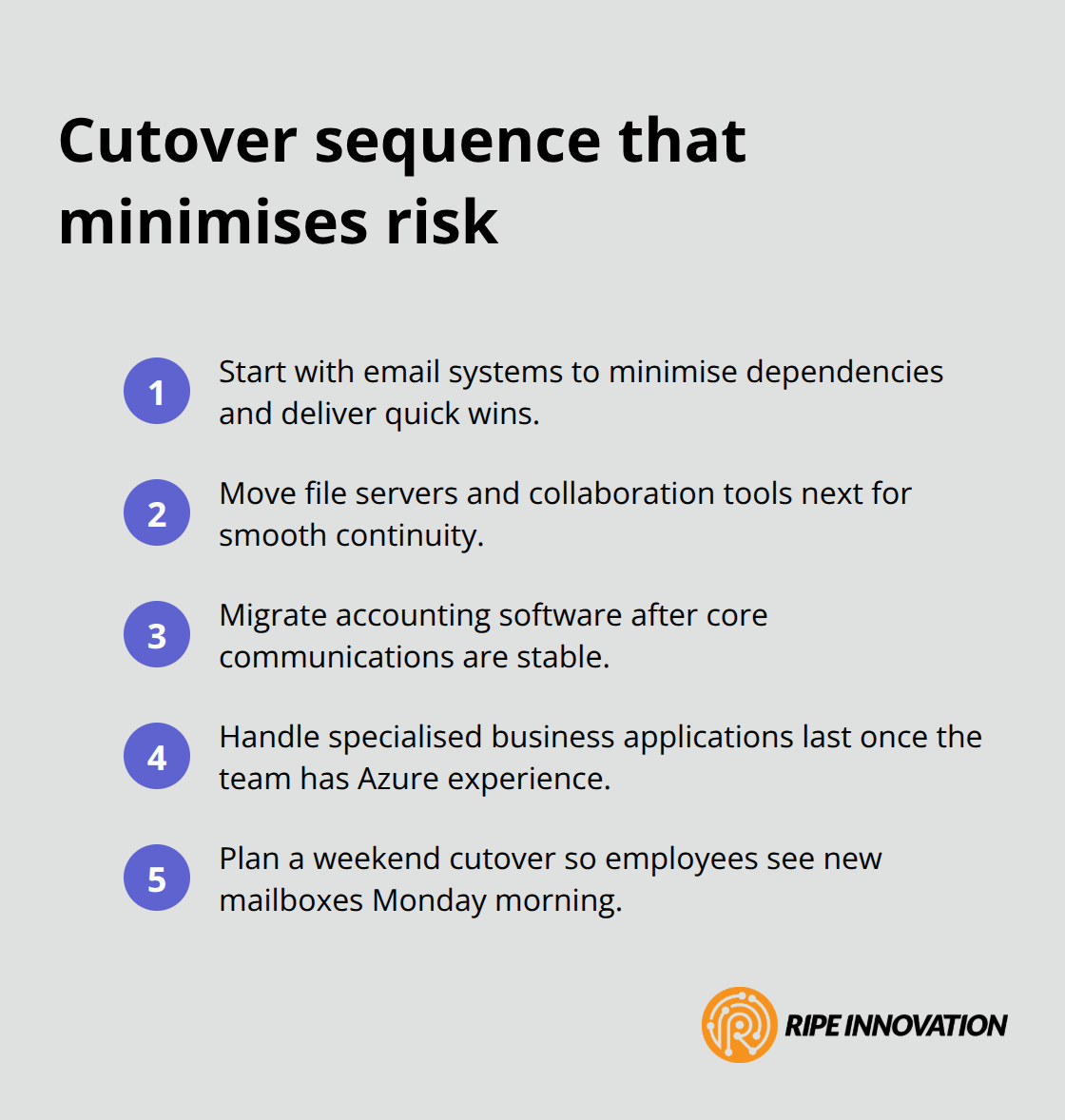
A weekend cutover for email typically means employees see new mailboxes Monday morning with minimal friction.
Test Everything Before Production
Test your exact sequence in a staging environment first, not on production systems during live business hours. Run a parallel test migration with a subset of users-perhaps one department or office location-before committing the entire organization. This catches configuration errors, permission issues, and performance problems without affecting your core business. The Delhi manufacturing case study succeeded partly because they validated everything in a test environment over multiple weekends before attempting the production cutover. They discovered DNS issues, backup configuration gaps, and user training needs during testing, then fixed them all before the actual migration weekend. That investment in testing prevented downtime afterward.
Execute Cutover with Clear Roles and Documentation
During the actual cutover window, assign clear roles: one person manages the technical execution, another handles user communication, and a third monitors systems and logs for issues. Document every step, every IP change, every permission adjustment. When something breaks at 2 AM on a Sunday, you won’t remember whether you updated that DNS record or not. Written steps prevent guesswork and speed recovery.
Monitor Performance Continuously
Monitor performance continuously during and immediately after cutover. Use Azure Monitor to track CPU, memory, and network utilization on migrated servers. Compare performance metrics from your on-premises environment to Azure performance during the first week. Most applications run faster in Azure because of better infrastructure, but some perform worse due to misconfiguration or network latency. Catch these problems within hours, not days (if email takes 30 seconds to load instead of 5 seconds, users will lose faith in the migration). Fix issues immediately by adjusting Azure resources, checking network bandwidth, or reviewing application settings. Post-migration monitoring matters as much as cutover execution itself.
Final Thoughts
Migration to Azure doesn’t end at cutover. The weeks and months after your applications go live determine whether you realize the cost savings, security improvements, and operational efficiency you planned for. Right-size your Azure resources within the first month by reducing VM sizes, storage allocations, and database compute tiers to match actual demand.
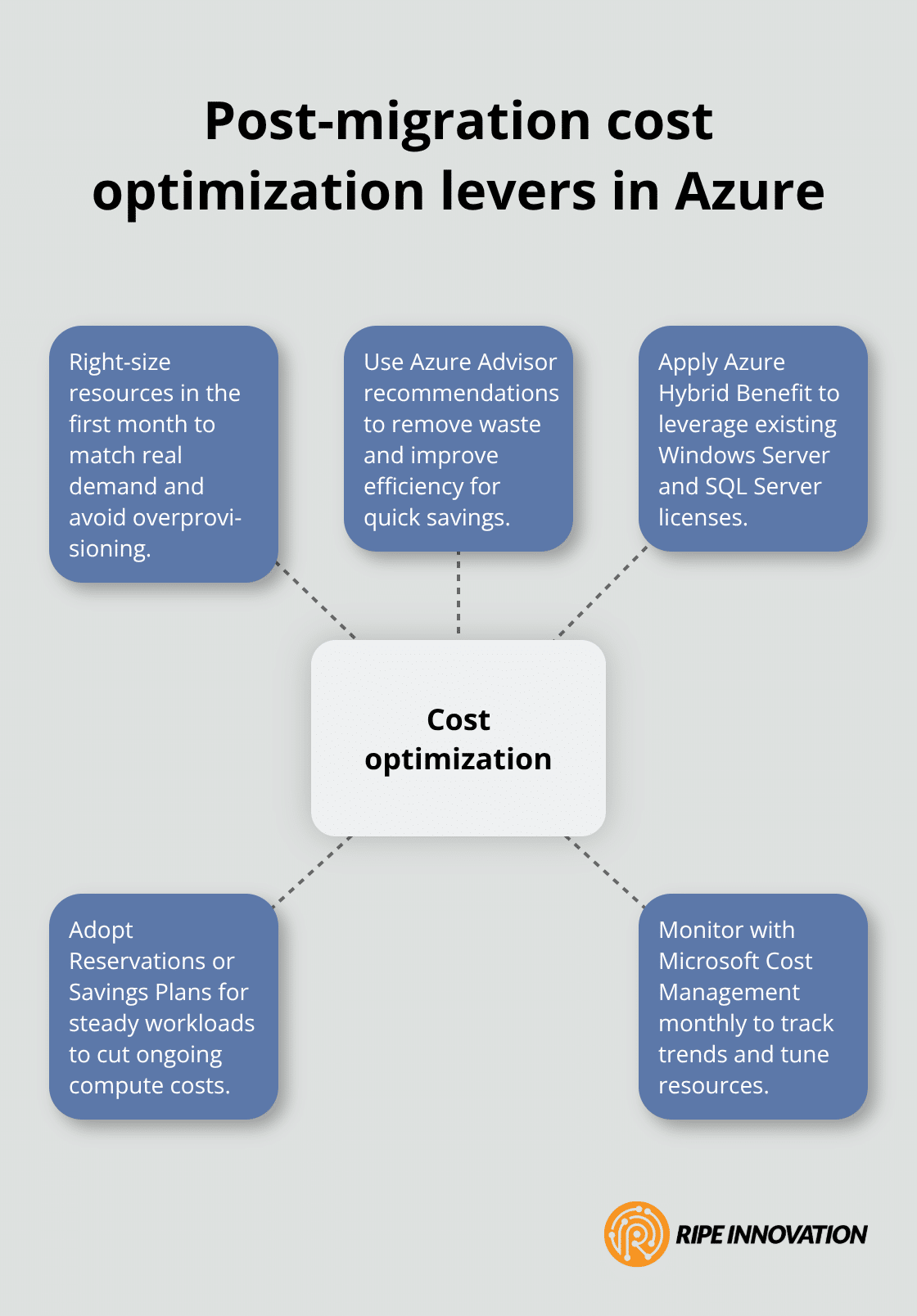
Azure Advisor provides free personalized recommendations to identify oversized resources and wasted capacity, and a business that migrated 20 users might cut monthly costs by 20 to 30 percent through this adjustment alone. Apply Azure Hybrid Benefit if you own Windows Server or SQL Server licenses, and consider Azure Reservations or Savings Plans for long-running workloads to reduce costs further by up to 65 percent depending on your usage patterns.
Security doesn’t improve automatically after migration. Implement conditional access policies to require multi-factor authentication for all users, enforce least-privilege access so employees only access systems they need, and conduct regular identity reviews to remove unused accounts and adjust permissions. Use Microsoft Defender for Cloud to monitor your Azure environment continuously and flag misconfigurations before they become breaches. Enable Azure Monitor to track application performance and infrastructure health so you catch problems early.
Plan for ongoing support and updates from day one by assigning someone on your team to review Azure costs monthly using Microsoft Cost Management, monitor security alerts, and apply patches when Microsoft releases updates. Many small businesses benefit from partnering with a managed service provider who handles these tasks, freeing your team to focus on core business operations. We at RIPE INNOVATION INC. work with small businesses to provide post-migration support, cost optimization, and security monitoring so your Azure environment stays secure and efficient long-term.