
Azure bills grow fast when you’re not watching them. Most small business owners we work with at RIPE INNOVATION INC. are shocked to discover they’re spending 30-40% more than necessary on cloud infrastructure.
This guide shows you exactly where that money goes and how to get it back. We’ll walk through pricing models, practical cost-cutting strategies, and the mistakes that drain budgets.
How Azure Pricing Actually Works
Three Pricing Paths That Shape Your Budget
Azure offers three primary pricing paths, and selecting the wrong one costs small businesses thousands annually. Pay-as-you-go charges you for every hour of compute you use, making it ideal for unpredictable workloads but expensive for anything running consistently. Reserved Instances lock you into 1-year or 3-year commitments and deliver savings of up to 72% compared to pay-as-you-go pricing for stable workloads.
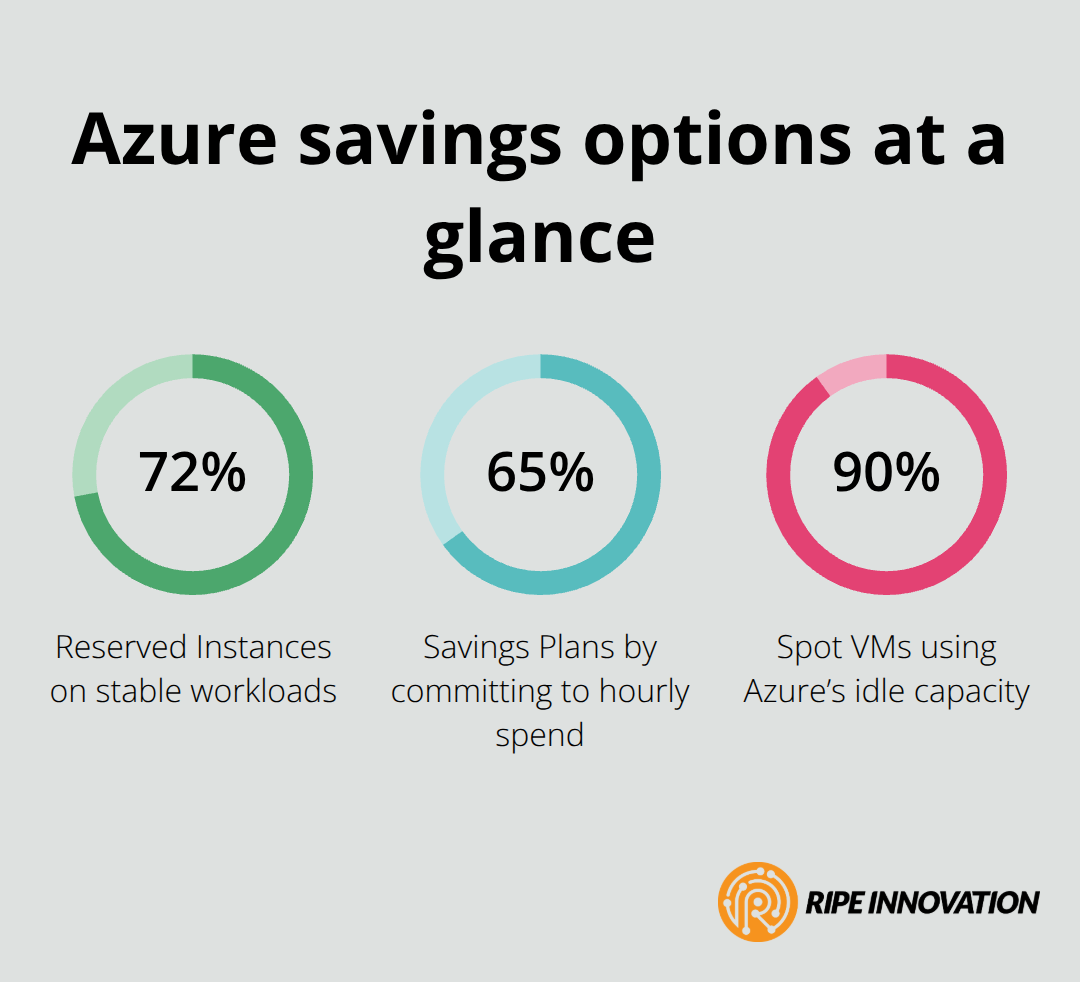
Savings Plans go further by committing to a dollar amount per hour rather than specific resources, offering up to 65% savings while maintaining flexibility across different VM sizes and regions.
Most small business owners start with pay-as-you-go because it feels safer, then watch their bills climb 30-40% higher than necessary. The math is straightforward: if your workload runs 24/7, Reserved Instances or Savings Plans eliminate waste immediately.
Spot VMs: The High-Risk, High-Reward Option
Spot VMs represent the aggressive cost-cutting option, offering up to 90% discounts on compute capacity by using Azure’s idle resources. The trade-off is real-Azure can interrupt these machines with little notice, making them unsuitable for production databases or customer-facing applications. However, development environments, testing scenarios, and batch processing jobs are perfect candidates; companies using Spot VM automation have reported 40% reductions in overall cloud costs.
Where Hidden Costs Drain Your Budget
Hidden costs sabotage budgets silently: data transfer between regions costs money, premium storage tiers drain funds unnecessarily, and unused resources continue charging even when idle. Azure Advisor automatically identifies cost optimization opportunities-one real-world example showed VM cost reductions of approximately 20% just from following Advisor’s recommendations.
Storage lifecycle policies move old data to cheaper tiers automatically, cutting long-term storage expenses without manual intervention. The trap most businesses fall into is treating Azure pricing as static; your bill changes monthly based on scaling patterns, and without active cost management, overspending becomes the default.
Moving From Theory to Action
Understanding these pricing models matters only if you act on them. The next section reveals the practical strategies that transform this knowledge into real savings on your monthly bill.
Cutting Costs Without Sacrificing Performance
Right-Size Your Virtual Machines
Right-sizing your Azure infrastructure produces real savings, and most small business owners leave thousands on the table by running oversized machines. Analyze your actual resource consumption over the past 30 days using Azure Cost Management’s cost analysis feature-filter by resource group and service to see exactly what runs and what it costs. If a machine consistently uses only 20% of its allocated CPU and memory, you pay for idle capacity; downsizing to the next tier often cuts those costs in half without impacting performance.
Match your VM family to your workload type: compute-optimized machines handle processing-heavy tasks, memory-optimized machines support databases, and standard machines work for everyday applications. Companies that automate this process through Azure’s autoscaling capabilities report 40% total cost reductions because machines shrink during off-peak hours and scale back up only when needed. Azure Advisor flags oversized resources automatically, making the identification process straightforward-you don’t need to manually hunt through your infrastructure.
Optimize Storage Costs Automatically
Storage represents another massive cost sink that most businesses ignore until their bill shocks them. Azure Storage Lifecycle Policies move data to cheaper tiers based on age and access patterns-files accessed frequently stay on hot storage, while archive data that you touch once yearly moves to archive tier at a fraction of the cost. This automation means you set it once and forget it; the policy handles the transfers without manual intervention or downtime.
Data transfer charges between regions add up fast, so audit your architecture to eliminate unnecessary cross-region traffic. These storage optimizations combine effectively with auto-shutdown schedules for non-production environments-development and testing VMs don’t need to run 24/7, and turning them off during nights and weekends cuts those costs to nearly zero.
Implement Your Cost Reduction Plan
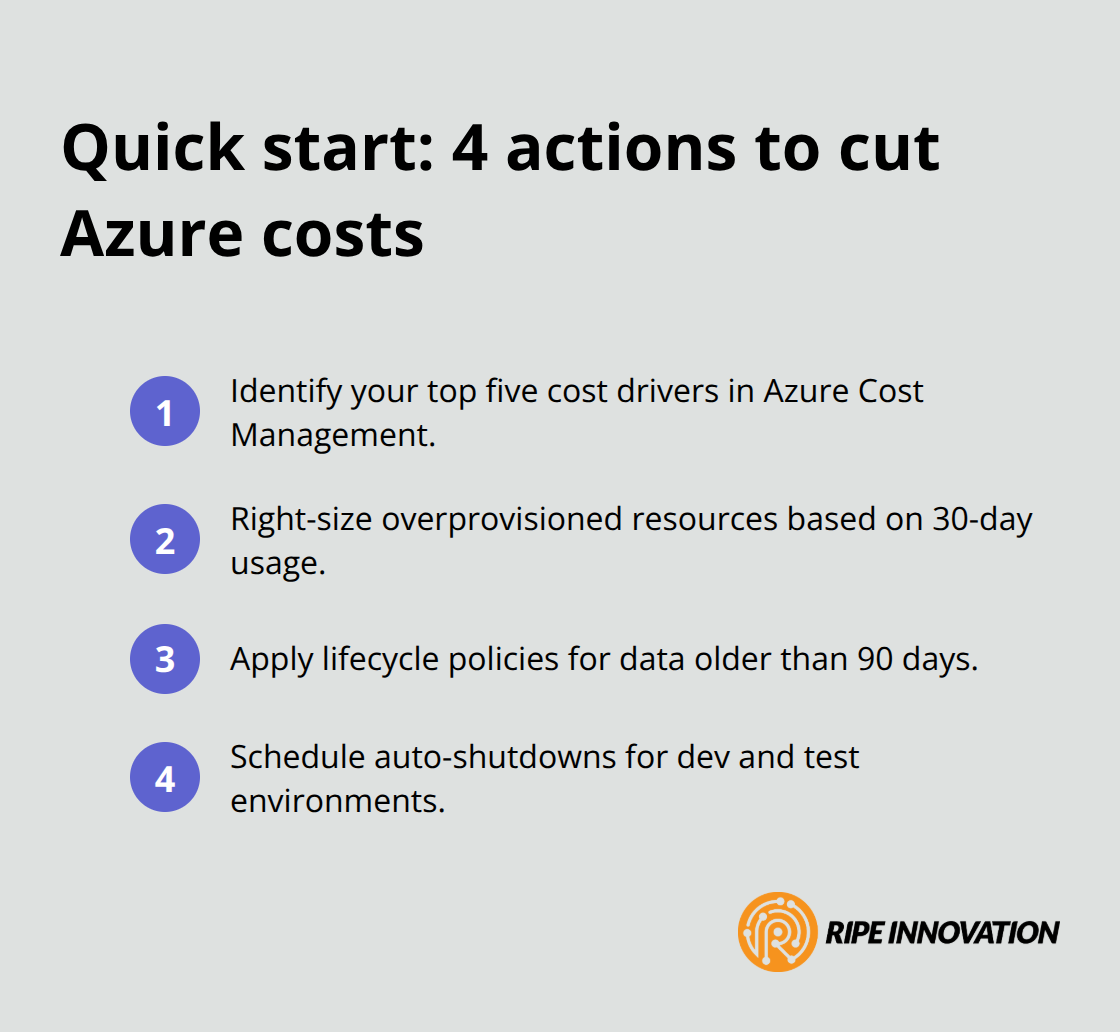
The practical implementation takes a few hours: use Azure Cost Management to identify your top five cost drivers, right-size those resources, set up storage lifecycle policies for any data older than 90 days, and schedule auto-shutdowns for dev environments. These three actions alone typically reduce monthly Azure spending by 25-35% within the first month.
However, these tactical fixes address only the symptoms of poor cost governance. The next section reveals the common mistakes that create these cost overruns in the first place-and how to prevent them from happening again.
The Three Mistakes Draining Your Azure Budget
Overprovisioning Resources You Don’t Actually Need
Overprovisioning sits at the top of the list because it remains invisible until you examine your actual usage patterns. Most small business owners provision resources based on peak demand scenarios that happen once or twice monthly, then leave those oversized machines running 24/7. A machine sized for your busiest day wastes capacity on the other 28 days of the month.
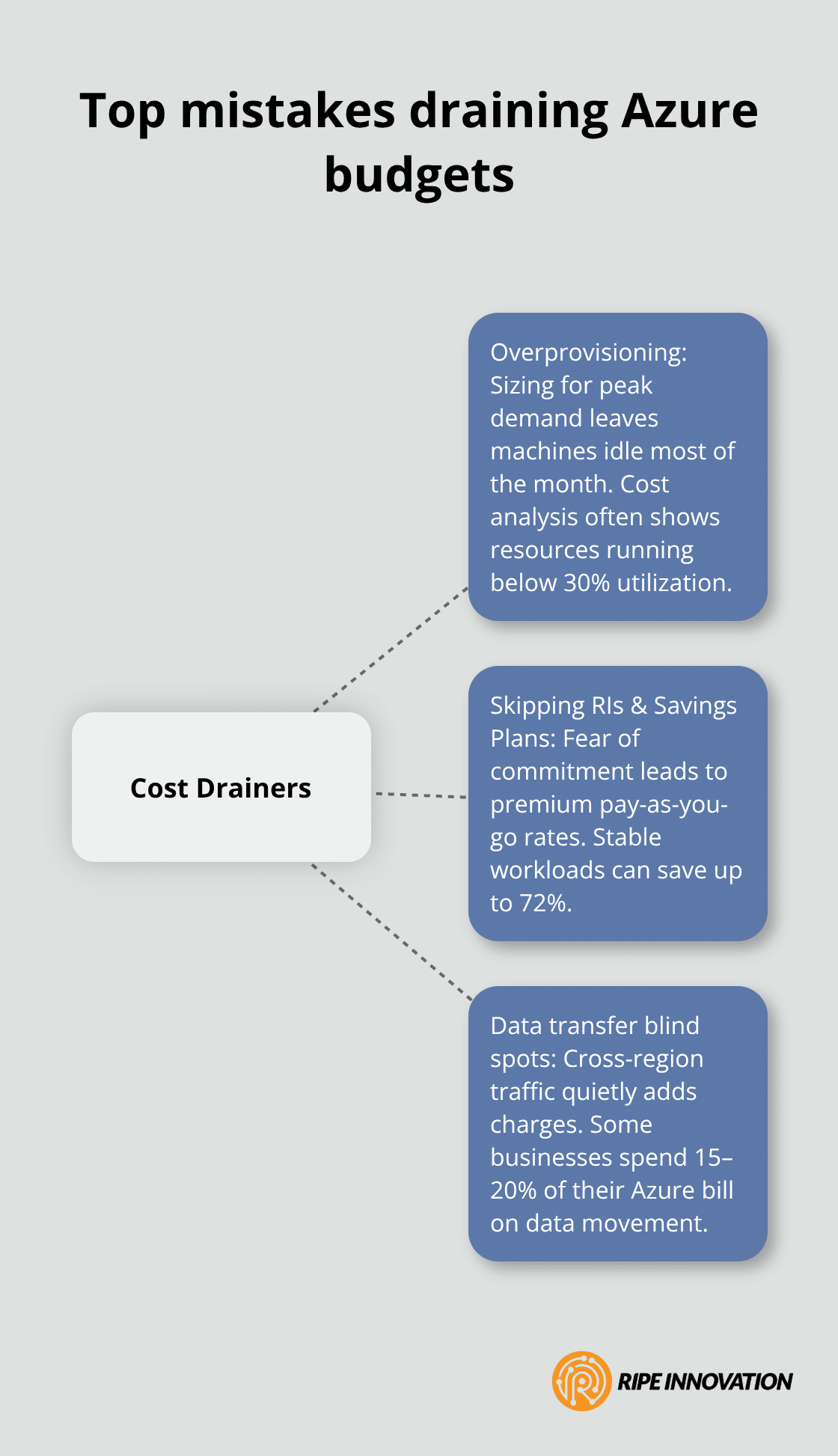
Azure Cost Management reveals this clearly: pull your cost analysis by resource and filter for machines running consistently below 30% CPU utilization. That’s money leaving your account every single hour. Honesty about what your workloads actually need-not what they might theoretically need during a traffic spike-fixes this problem. Companies that regularly audit their resource consumption and downsize accordingly save approximately 20-30% on compute costs within weeks.
Ignoring Reserved Instances and Savings Plans
Reserved Instances and Savings Plans sit untouched in most small business Azure accounts because the commitment feels risky. This hesitation costs you real money every month. If your database server, file storage, or web application runs continuously, you’re already committed to that spending-you’re just paying premium rates for the privilege of flexibility you don’t actually use. Reserved Instances can save you up to 72% compared to standard pay-as-you-go rates. That’s not a small difference; that’s a gap that compounds monthly and annually. The risk of Reserved Instances is overblown: if your workload disappears, you can sell unused reservations on the Azure marketplace. Start small by reserving only your stable, predictable workloads first, then expand as you gain confidence.
Overlooking Data Transfer and Egress Charges
Data transfer and egress charges represent the most neglected cost category because they don’t appear as a separate line item in most billing reports. Moving data between Azure regions costs real money, yet most businesses never audit their architecture to see where that traffic flows. A database in East US serving applications in West US incurs transfer charges every single day. Consolidating your resources into a single region or using content delivery networks for frequently accessed data cuts these charges dramatically. Some businesses discover they’re spending 15-20% of their Azure bill purely on data movement they could eliminate through better architecture. In Azure Cost Management, filter your cost analysis by service and look specifically at bandwidth charges. If that number surprises you, your architecture needs rethinking.
Final Thoughts
Azure cost optimization requires consistent action, not one-time fixes. Start by auditing your current spending in Azure Cost Management to identify your biggest cost drivers, then tackle them in order of impact. Right-sizing oversized machines typically delivers the fastest returns, followed by implementing storage lifecycle policies and committing to Reserved Instances for stable workloads-these three actions alone reduce most small business Azure bills by 25-35% within weeks.
The real challenge lies in maintaining discipline around cost governance as your infrastructure grows and changes. Set up budget alerts in Azure to notify your team when spending approaches thresholds, review your cost analysis monthly to catch new inefficiencies early, and revisit your Reserved Instance strategy quarterly as your workload patterns shift. Automation handles much of the heavy lifting once configured correctly, but your oversight prevents expensive mistakes.
We at RIPE INNOVATION INC. help businesses optimize their Azure spending through dedicated support and strategic guidance. Visit our website to explore how we can help you implement sustainable cost controls and build predictable cloud spending aligned with your business goals.